 BikeOtter
Find POIs along the whole route
Pick a category and search the whole route at once, not just what’s around you — stops come back in the order you’ll reach them.
Ten chapters and an eleventh for everything else. Each chapter opens with the thing it describes, then lists what else lives there.
The story behind these features, and which ones started it: Why I built BikeOtter.
Riding with others, or with someone waiting at home? One page each on group rides with Wahoo and Garmin and live tracking.
new to the category
Find the water, coffee and food along your whole route — and whether it’ll still be open when you get there.

Pick a category and search the whole route at once, not just what’s around you — stops come back in the order you’ll reach them.
Every stop is checked against the time you’ll actually arrive. Move your start time and the answers move with it.
How far the detour really is, and which side of the road it’s on.
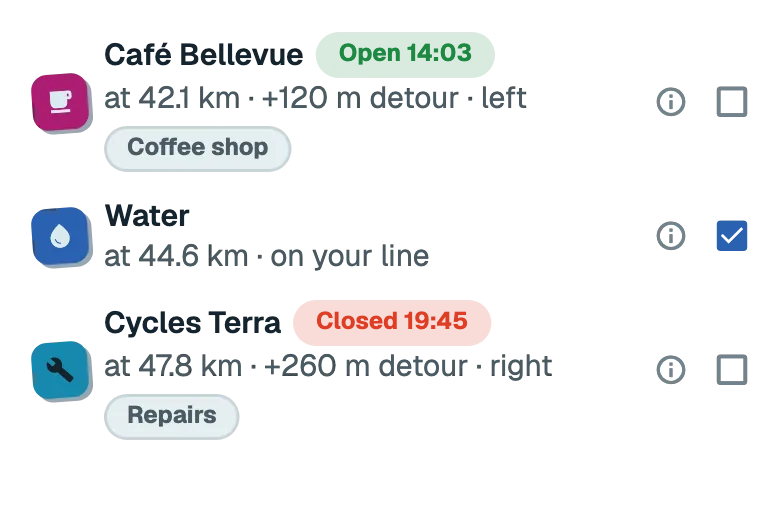
Seasonal, fee, customers only — and the good news too: repairs, a pump, free water. Water you can’t drink never makes the list.
Water, food, coffee, viewpoint and generic are one tap away, and fifty more sit behind a searchable page.
Draw a route on the map, browse what your bike computer already carries, and keep a library on your phone.

Tap waypoints on the map, pick trekking, fast bike or shortest, and see distance and climbing before you commit.
Plan at your desk on bikeotter.app/plan: click or search for stops, drag them or the line, and download the GPX. No account, no app needed.
Your routes stay on your phone, searchable and sorted by recent or nearest. A ride you finished can become a route you ride again.
See the routes your bike computer is already carrying, and tap one to pull it into your library.
Download a route’s map — hillshade and contours included — plus its stops, so the whole thing keeps working with zero signal.
Add a place to the route you’re already riding, without redrawing the rest of it.

Pick a place and either re-plan from there to the finish, or take a there-and-back that rejoins where you left off.
“Marktplatz Stuttgart”, or just “bakery”, finds real places near you — or share a pin straight in from Google or Apple Maps.
Phone to device over Bluetooth, stops intact, cue noise under your control.
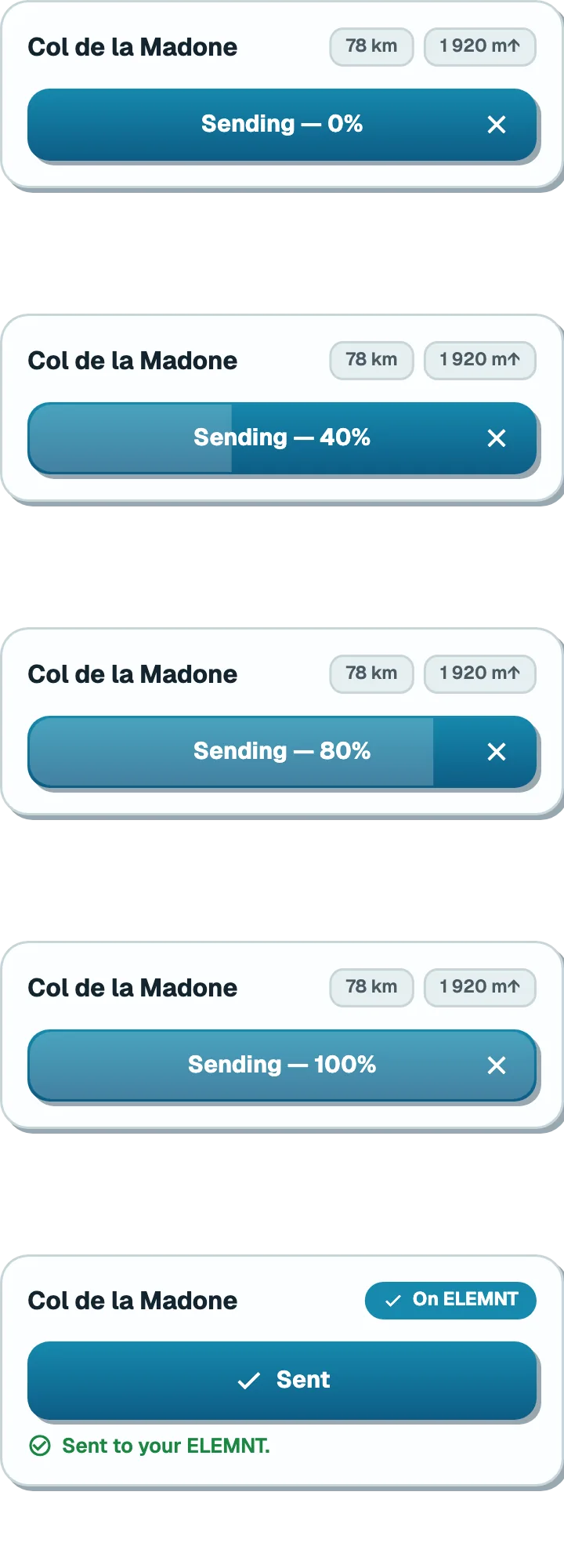
Straight from your phone to the bike computer — no cloud, no cable — and the unit starts navigating the moment it lands.
The stops you marked travel with the route and show up on the device as you ride past them.
An imported route is mostly cue noise. Keep every cue, keep only the turns that need a decision, or strip them for a clean line.

Every ride in one list, pulled off the bike computer over Bluetooth and uploaded to Strava on its own.

Every ride in one list, whether it’s already on your phone or still on the bike computer.
Pull finished rides across over Bluetooth — one, or all of them at once.
Once your ride is safely on your phone, your bike computer shows “BikeOtter saved your ride”, with the stats and your sensor batteries.
Pause at a junction, ride on, and your bike computer records an hour of nothing without a word. BikeOtter puts a message on its screen.
Opt in and your rides upload themselves, oldest first.
The forecast for where you’ll be when you get there — and a sunscreen reminder that follows the sun.
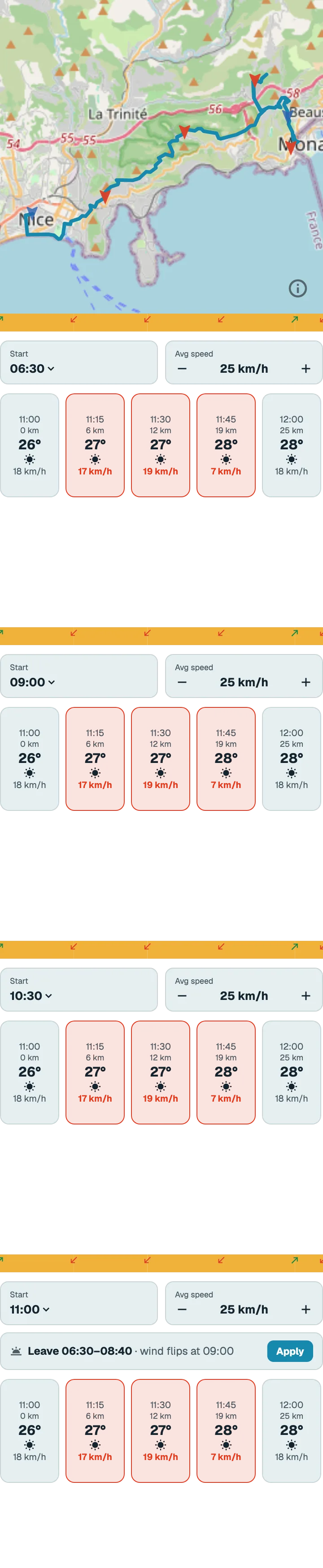
And the full report: temperature range, wind verdict, the wet stretch.
Headwind and tailwind for the direction you’ll be riding, at the hour you’ll be there — not the wind at the car park, now.
It looks across the next 12 hours and tells you the best time to set off. One tap moves your plan to it.
Headwind out, tailwind home? It offers to flip the route — one tap, no refetch. Quiet when the wind’s already at your back.
Two hours measured, four forecast, under your route. Drag the profile and the rain moves with your thumb — so you see whether it gets there before you do.

Rain, headwind, gusts and temperature swings — on the screen before you ride into them.
On the screen while there’s still a junction to take it at, pinned to where the risk starts. From the forecast, so a heads-up and not a lightning detector.
Set your skin type and the bike computer nudges you to reapply, on a clock that follows the UV and only runs while you’re out in it.
Your own alerts on the screen in front of you — and quiet when you’re descending fast.

—and the preview shows the exact words that land on the screen.
Alerts of your own on the screen in front of you, with presets for drinking, eating, heart-rate zones, weather and sunscreen. On Android, phone notifications can ride along too.
Choose what sets it off, what the device says, and how often it may repeat.
Pair a Varia or Gardia rear radar to the phone and a tone tells you a vehicle is closing — more urgent when it is coming fast. One per vehicle, and nothing while you are stopped.
Above 40 km/h on a descent nothing interrupts you — messages wait and arrive once you level out. Rain and gust warnings still come straight through.
A live link friends can follow for the whole ride — and message you back on.

The link keeps working as the ride goes on.
Flip the switch and friends open a link — no account, no app — and watch your ride move on a map. It expires after six hours. Side note: a slower update rate per bike computer saves battery.
Whoever you sent the link to gets a note when the ride ends — distance, time, when you got in. Optionally one before you arrive.
A wrong turn or an out-and-back can’t rewind it, and a rider who stopped shows PAUSED rather than a dot that quietly went still.
A long valley costs you the valley and nothing more, and a session that ran out mid-ride comes back on the same link.
While you share a link, your phone keeps its own copy of the ride — so a unit that comes back empty isn’t the end of it. Rebuild it into your history, ready for Strava.
Anyone you allow gets a message box on your tracking page. A fresh message reaches the bike computer’s screen; the rest wait in the app.
Group rides and lap races with friends: everyone on one map, every lap on your bike computer.

Mid-race: this lap, the gaps to your friends, and everyone’s lap times.
Share a route, a start time and the forecast as one link. Friends join days ahead and take the route into their own library; the ride starts when somebody sets off.
Ride together and see everyone on one map — join by link or QR code, up to 50 riders for twelve hours. Made for event day, with your people at home watching too.
Group-ride companions show up on the bike computer’s own map, not just the phone. Those up the road are tagged markers — JB, JB2 if shared; those beside you stay off it. ROAM and BOLT, V1 and V2.

Pick a route that rides the same loop several times and the laps are found for you. Drag the start/finish bar to the real line, and make the first lap neutral if it is.
Lap time and the gap to your best after each lap, power and heart rate with a sensor, then last lap and the finish. Counted on the phone, so the unit’s own lap screen won’t match.
“Anna · 150 m ahead” appears when a friend comes within 100, 200 or 400 m of you on the course, not across the park. Lapping somebody gets its own message.
After the race the ride splits at the start of lap 1. Only the race is uploaded, with a lap for every lap you raced. Move the cut, or undo it.
Anyone with the link follows the race in a browser as it runs. Afterwards everyone’s laps stay in the app for 90 days, one tap from the race in your ride history.
Hosting a race is Plus; racing or watching is free. A friend who installs the app from the invite still gets in: paste the link, or sign in with the invited address.
Structured efforts a bike computer can’t run — placed only where the road holds them, cued on its screen.

Set reps, effort and recovery; each lands only on road steady enough to ride it — no descents, no hairpins — and the plan says so, honestly, when they don’t all fit.
As you reach each effort the unit shows it on its screen — a heads-up, the start, the end — a structured workout on a device that can’t run one.
Not everything earns a chapter. These ship all the same — and the last word goes to you.
Make the unit buzz when it’s under the café table or in the wrong jersey pocket. Works on a Garmin too.
While the unit records, your phone keeps its own copy — so a flat battery or a crash doesn’t cost you the ride. Free, because losing a ride is not a thing to charge for.
GPX for the line, FIT for the workout — power, heart rate, laps.
Browse your saved routes and pull one straight in — with its turn-by-turn cues, which a route imported from Strava can’t carry.
Tap a route file in a file manager, or share it in from any app, and it opens in the editor ready to ride.
Rather than dividing what’s left by your average speed, it works out what the climbs still to come will cost you.
Paved, gravel or rough — drawn along the route and the climb, with a breakdown. Works whether you draw the route in the app or bring one in from anywhere.
Temperature range, the worst of it pinned to a time and a place, and wind named head, tail or cross for the way you’ll be going.
Pick which apps get through — messengers on, the parcel tracker off — and calls always come through.
Queue the route and BikeOtter sends it the moment your bike computer next connects.
Half of this book started as somebody’s request, and we are eager to hear what you are missing. Put it on the wishlist, or vote on what other riders have asked for.
Open the wishlist →Two things taking shape alongside the rest, and one thing left out on purpose.
Intervals by time, distance or open-ended, with power, heart-rate or cadence targets, sent to a Garmin Edge or watch. An ELEMNT won’t take one.
Sending routes, downloading rides, on-screen alerts and making the unit beep work on Garmin Edges and watches. Workouts are on their way.
No live dashboard on the phone — the bike computer is the instrument, and a phone is the worst place to repeat it. And no segments, until they can be done properly.