 BikeOtter
Garmin Edge course not syncing? Fixes for Komoot and Strava
A course goes from the planner, to Garmin Connect, to the Edge. Check the middle step first, and you know which side the problem is on.
Open the Garmin Connect app and go to More, Training & Planning, Courses. If the course isn't listed there, the link between the planner and Garmin Connect is the problem: check that the connection has Courses switched on, and that the route is one the planner sends. If it is listed but not on the Edge, sync the Edge with the app, and check that it isn't at its course limit.
Is the course in Garmin Connect?
Courses travel in two hops: the planner hands them to your Garmin Connect account, and the Edge fetches them at its next sync. The Courses list in Garmin Connect shows the first hop. Ride with GPS's help makes the same point: if the route is there, the problem is between Garmin Connect and the device.
If the list looks short, Komoot's help adds that you may need to reset the map filters in Garmin Connect to see every course.
Why is my Komoot tour not in Garmin Connect?
Komoot's Garmin sync has its own rules. Work through them on komoot.com:
- Is Courses switched on? In Komoot's Settings, Connections, the Garmin connection needs Courses set to active. Garmin's help shows where to change it.
- Is it recent? Komoot sends up to ten of your most recently planned, saved routes from the last two months. An older tour won't go across; save it again or make a copy.
- Is the region unlocked? Garmin's help says tours that cross areas outside your unlocked Komoot regions don't transfer.
- Does your device support it? Komoot says Courses Sync needs a device with Garmin maps and navigation built in.
If all four are fine, disconnect the Garmin connection in Komoot, connect it again, and trigger a sync from the Garmin Connect app.
Why is my Strava route not in Garmin Connect?
Strava routes need a permission on the Garmin side:
- In the Garmin Connect app, go to More, Settings, Connected Apps, Strava.
- Switch Courses on.
- Star or save the route in Strava.
Garmin's help notes that turning this on only sends routes you star from then on. For routes you starred before, unstar them and star them again. Strava's help adds that a route has to be under 600 miles. The old Strava Routes Connect IQ app is no longer supported, so that is not a way around it.
And Ride with GPS?
Use Send to Garmin on the route, or pin it: pinned routes sync automatically once the connection has Courses switched on. Ride with GPS's help says this works with a free account. If routes stop arriving, disconnect Ride with GPS under Connected Apps in Garmin Connect, connect it again, then unpin and re-pin the routes.
The course is in Garmin Connect but not on the Edge
- Sync the Edge. Courses arrive at the next sync, through the Garmin Connect app over Bluetooth, over Wi-Fi, or with Garmin Express on a computer. Open the app with the Edge nearby and let it sync.
- Send it by hand. In Garmin Connect, open the course, tap the send-to-device icon and pick your Edge. On the web, it is Send to Device.
- Check the limit. Garmin says most devices hold 100 courses, and some fewer. Komoot's help shows an error when the device's course storage is full. Delete old courses on the Edge under Navigation, Courses.
- Check the name. Garmin's help says many devices only read the first 15 characters of a course name, so two courses that start the same can be treated as one.
- Check Wi-Fi. If the Edge syncs over Wi-Fi, Garmin lists 2.4 GHz networks only, no hidden networks and no login pages, like hotel Wi-Fi.
Komoot also suggests, if a sync stalls, turning Wi-Fi off on the Edge and restarting the phone and the Edge.
The way that skips the cloud
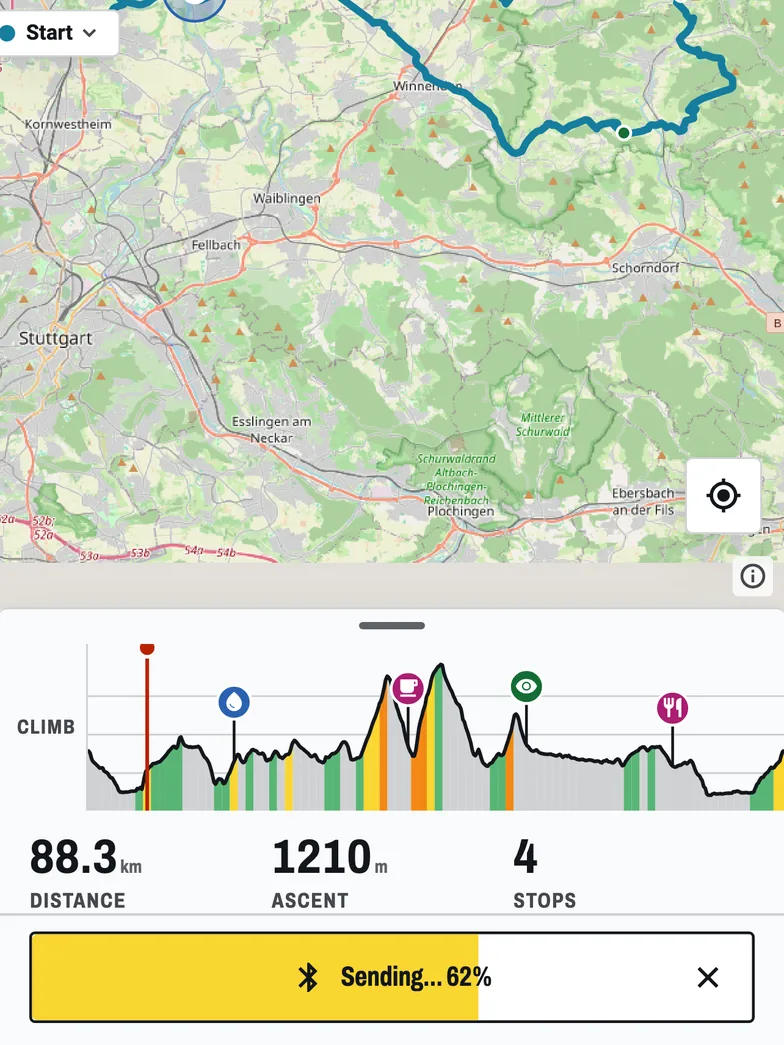
When the sync won't cooperate and you need the course now, a USB cable works: the GPX on an Edge guide has the folders. Without a computer, BikeOtter can send a course straight from the phone to the Edge over Bluetooth, with no Garmin account or planner link in the path.
Garmin support in BikeOtter is in beta. Sending a course has worked on an Edge 540 on the bench, and for riders on their own Edge 840, Edge 1030 and a fēnix 6 Pro watch. The Garmin page keeps the list up to date, including the models that haven't been run yet.
- Export the route from Komoot, Strava or Ride with GPS as a GPX file, and share it to BikeOtter.
- Close the Garmin Connect app fully. The Edge talks to one app at a time.
- In BikeOtter, connect the Edge under Devices.
- Open the route and tap Send. It arrives as a FIT course.
Sending is free. The Edge's first-time setup still happens in Garmin Connect.
Which way should I use?
If you plan in Komoot, Strava or Ride with GPS all the time, the linked sync is worth fixing, because once it works every course arrives by itself: check the Courses permission, then the planner's own rules, then the Edge's limit. For one course you need today, a cable or a direct push is quicker. Riding a Wahoo as well? The Wahoo version of this guide covers the ELEMNT.
Related guides
Where these steps were checked
The official steps above follow the vendors' own help pages as of 25 Oct 2026. Menus move between app versions. If a step here no longer matches what you see, send a note to support and the guide gets fixed.
- Garmin: Sending a Saved Course from Garmin Connect to a Garmin Device
- Garmin: Sending Courses From komoot to Your Garmin Device
- Garmin: Sending Courses From Strava to Your Garmin Device
- Garmin: Setting Up Wi-Fi on a Watch or Edge Cycling Computer
- Komoot: Garmin Courses Sync troubleshooting
- Strava: Syncing Strava Routes to Your Garmin Device
- Ride with GPS: Garmin Connect